



WordPress搜索結(jié)果中關(guān)鍵詞高亮顯示
編輯:狂族晨曦 來源:建站分享,WordPress技巧 日期:2015-09-07 閱讀: 2,282 次 搶個沙發(fā) 百度已收錄
最后更新時間:2015-10-10
在國內(nèi),我們經(jīng)常說的一句話有“百度一下”。百度是國內(nèi)搜索引擎的巨頭,我們幾乎天天用它搜索,但真的自己要做個搜索功能的時候,還真有點小激動呢。
WordPress是個很強大的博客后臺軟件,它也提供了很簡單的搜索功能。我們今天要做的,就是改造一下我們的搜索功能,讓你搜索的關(guān)鍵詞能在結(jié)果中高亮。
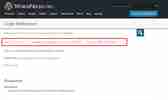
實現(xiàn)效果可以在本站右上角嘗試。具體效果如下:

實現(xiàn)代碼
把以下代碼加入WordPress主題目錄下的搜索模板文件(一般是search.php)中的主循環(huán)中:
<?php
$title = get_the_title();
//300是摘要字符數(shù),......是結(jié)束符號。
$content = mb_strimwidth(strip_tags(apply_filters('the_content', $post->post_content)), 0, 300,"......");
$keys = explode(" ",$s);
$title = preg_replace('/('.implode('|', $keys) .')/iu','<strong style="color:#953b39;">\0</strong>',$title);
$content = preg_replace('/('.implode('|', $keys) .')/iu','<strong style="color:#953b39;">\0</strong>',$content);
?>
然后在需要顯示標題的地方使用以下代碼顯示
<?php echo $title; ?>
在需要顯示摘要的地方使用以下代碼
<?php echo $content;?>
應(yīng)該是很簡單的。代碼加入search.php之后應(yīng)該就會有效果。記住要把這些代碼放在一個循環(huán)中。不要把主代碼放在search.php中,而下面的顯示標題和內(nèi)容的代碼放在引入的列表文件。
補充:使用過程中關(guān)鍵字后面加空格搜索出現(xiàn)亂碼。換以下代碼:
<?php
$s = trim(get_search_query()) ? trim(get_search_query()) : 0;
$title = get_the_title();
//300是摘要字符數(shù),......是結(jié)束符號。
$content = mb_strimwidth(strip_tags(apply_filters('the_content', $post->post_content)), 0, 300,"......");
if($s){$keys = explode(" ",$s);
$title = preg_replace('/('.implode('|', $keys) .')/iu','<strong style="color: #953b39;">\0</strong>',$title);
$content = preg_replace('/('.implode('|', $keys) .')/iu','<strong style="color: #953b39;">\0</strong>',$content);
}?>
歷史上的今天:
標簽: WordPress
本文參考自:http://yusi123.com/2171.html,由狂族晨曦(capjsj.cn)整理編輯,本文共1451個字。
本文鏈接地址:http://www.cnidcc.cn/wp_ssjgzgjcglxs.html , 轉(zhuǎn)載請保留本說明!
本文鏈接地址:http://www.cnidcc.cn/wp_ssjgzgjcglxs.html , 轉(zhuǎn)載請保留本說明!
相關(guān)文章



已有 0 位"計工"發(fā)布了激烈的評論,還有N多人圍觀笑而不語評論
 川公網(wǎng)安備 51011202000104號